Before you start: add History Monk from the Chrome Web Store or Firefox Add-ons. The Chrome Web Store version also installs in Edge.
Step 1: Open By group
Click By group in the sidebar. Each card is one search you ran on a search engine, with the pages you opened from its results. The search words are at the top of the card.
Step 2: Find the search
Type a word in the search box at the top to filter the cards. It matches the search words, and the titles and addresses of the pages in each card. Here, ramen finds the search best ramen in kyoto.
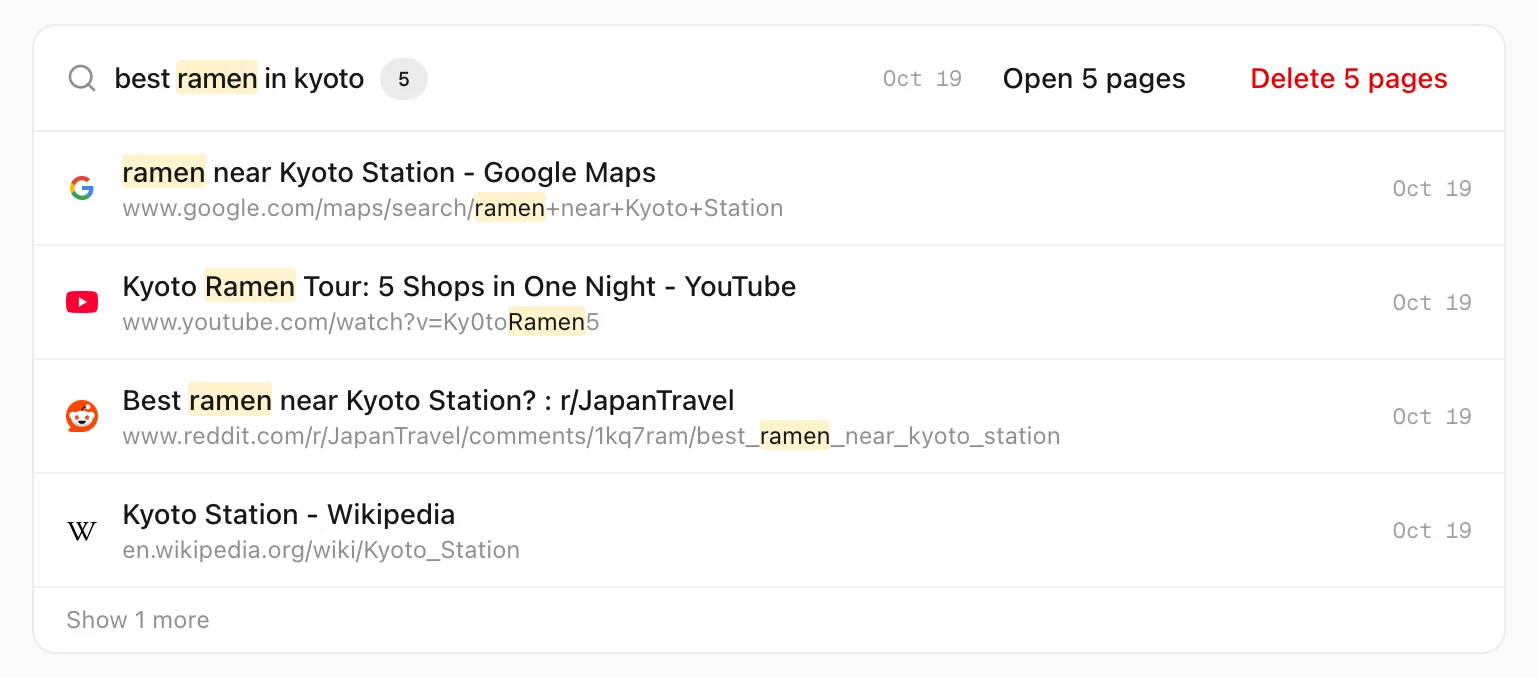
The card shows its first 4 pages. Click Show 1 more to see the rest.
Step 3: Click Delete, then Confirm
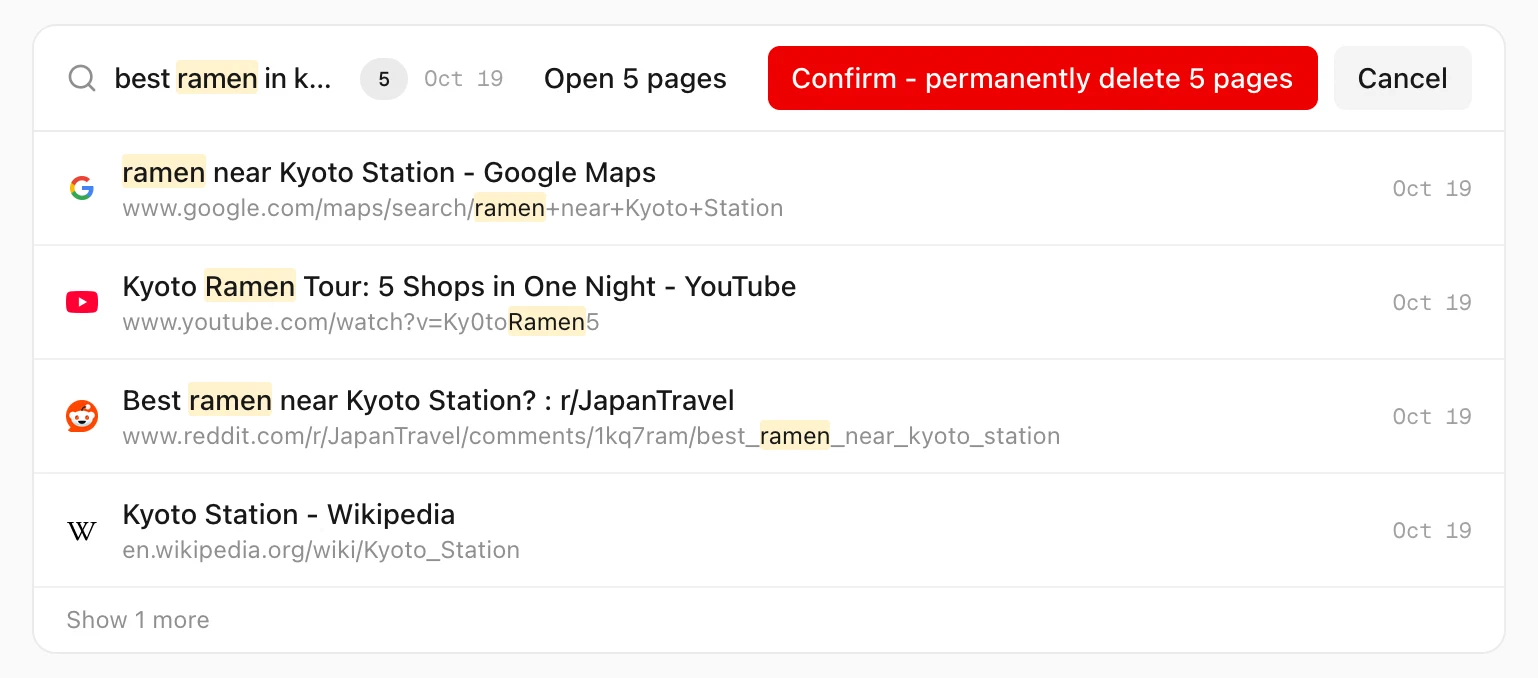
Click Delete 5 pages. The button changes to Confirm - permanently delete 5 pages. Click it to delete, or Cancel to stop.
What is deleted
- The search result page.
- Every page you opened from it, as long as you didn’t also visit that page another time. Pages you came back to on another occasion stay.
- Never pages from protected sites. They are left out of the count.
Tips
- Get the pages back in tabs instead. Open 5 pages reopens the whole search. See how to reopen every page from a search.
- Clear all search pages at once. Cleanup has a group for every search result page. See how to clear search pages from your history.
- There is no undo. The browser can’t put a deleted entry back.