How-to guide

How to delete a site's history from the page you are on

Right-click the page, choose History Monk, then Delete all history of this site. Confirm once and it’s gone.

Tested in Chrome 155 and History Monk 0.1.4 Free for 7 days No account

Quick steps

Delete from the right-click menu

  1. Right-click the page

    Anywhere on the page, or on a link to the site.

  2. Choose History Monk

    Then Delete all history of this site, or of this page.

  3. Confirm

    A tab opens with the count. Click Confirm to delete.

Before you start: add History Monk from the Chrome Web Store or Firefox Add-ons. The Chrome Web Store version also installs in Edge.

Step 1: Right-click the page

On the website you want gone, right-click anywhere on the page. You can also right-click a link: the menu then acts on the site the link points to.

Step 2: Choose History Monk, then what to delete

Point to History Monk in the menu. It has three items:

ChooseWhat it does
Search all history of this siteOpens History with only this site’s pages. Nothing is deleted.
Delete all history of this siteDeletes every page from this site, subdomains included
Delete all history of this pageDeletes only this one address

Step 3: Check the count, then confirm

History Monk opens in a new tab with a panel at the top. It names the site and shows how many pages will go. The pages are listed below it, already ticked.
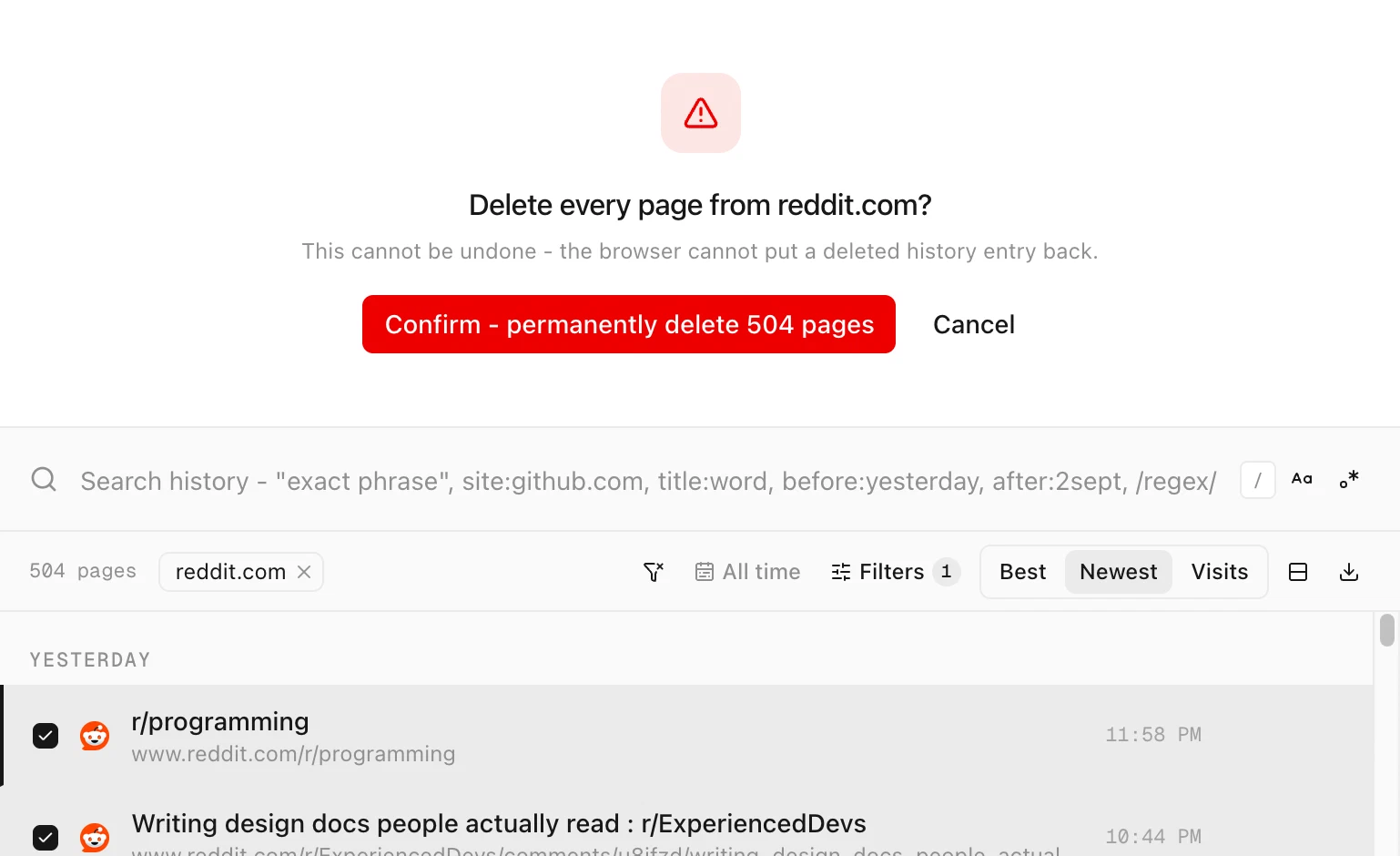
History Monk panel asking Delete every page from reddit.com? above a Confirm - permanently delete 504 pages button and the reddit.com pages, all ticked
Delete all history of this site on reddit.com: 504 pages.

Click Confirm - permanently delete to delete them, or Cancel to close the panel without deleting anything.

For a single page, the panel shows its address instead:
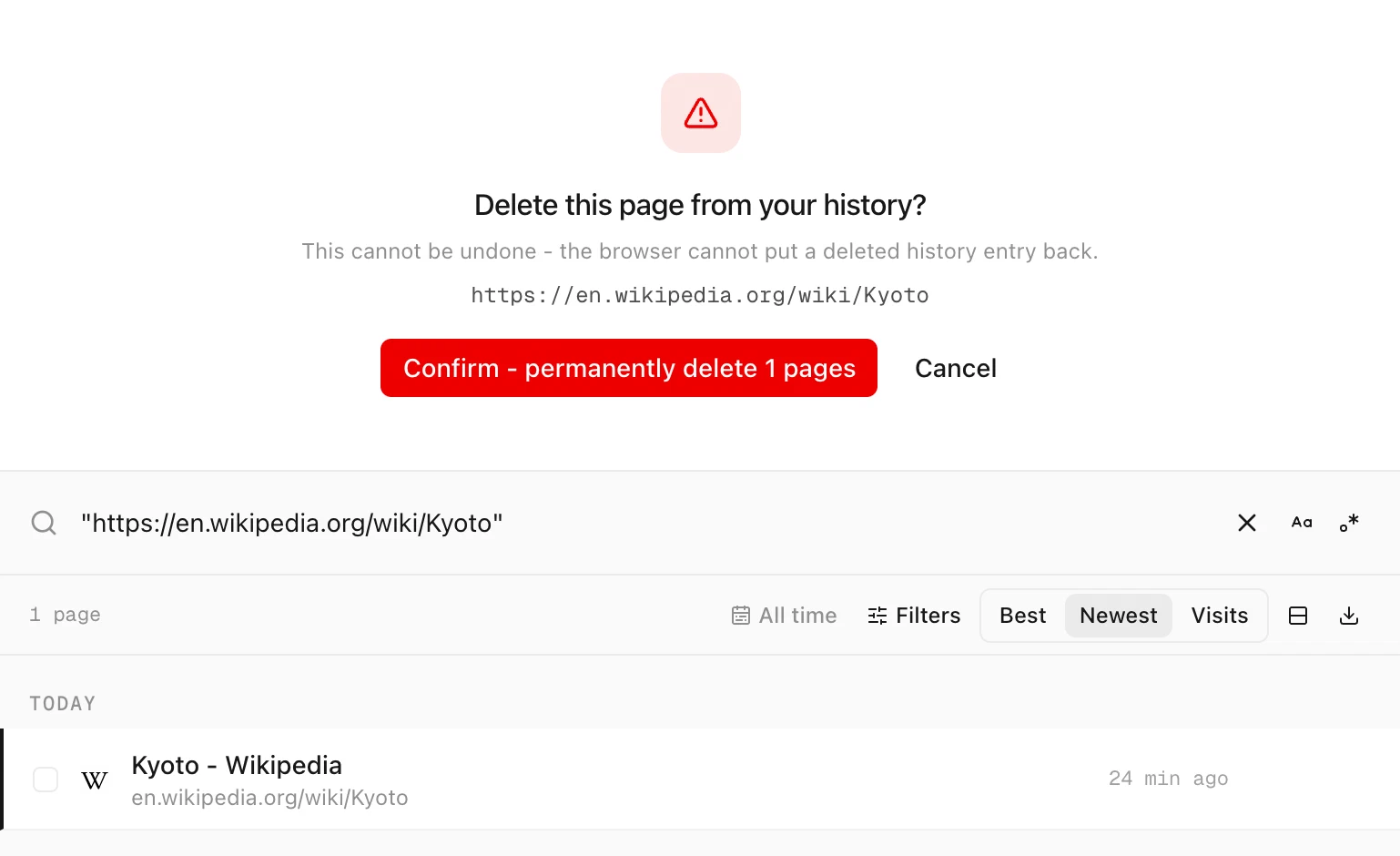
History Monk panel asking Delete this page from your history? with the address https://en.wikipedia.org/wiki/Kyoto and a confirm button
Delete all history of this page removes one address.

Tips

  • There is no undo. The browser can’t put a deleted history entry back.
  • Very large histories. The menu deletes the pages History Monk has loaded, up to Pages to load in Settings (100,000 by default). Deleting from Sites looks up every page of the site, however many there are.
  • Protected sites are skipped. Pages on your protected list are never deleted. See how to protect a site from deletion.
  • The menu follows your language. Change the language in Settings and the menu items change too.
  • Delete several sites at once from the Sites view. See how to delete all history from one site.

FAQ

Questions about deleting from the menu

What is in the History Monk right-click menu?

Search all history of this site, Delete all history of this site and Delete all history of this page. They show when you right-click a page or a link.

Does it include subdomains?

Yes. Delete all history of this site from the right-click menu also covers subdomains, so deleting reddit.com includes old.reddit.com.

What if I right-click a link?

The menu acts on the site the link points to, not the page you are on. That's a quick way to clear a site you don't want to visit.

Is anything deleted before I confirm?

No. The tab that opens only shows what will go. Nothing is deleted until you click Confirm, and Cancel closes the panel.

The wise search once. History Monk remembers the rest.