How-to guide

How to reopen every page from a past search

Open By group, find the search and click Open. Every page you opened from it comes back in tabs.

Tested in Chrome 155 and History Monk 0.1.4 Free for 7 days No account

Quick steps

Reopen a search in three steps

  1. Open By group

    Each card is one web search with the pages you opened from it.

  2. Find the search

    Type a word from the search or one of its pages.

  3. Click Open

    Every page opens in a background tab.

Before you start: add History Monk from the Chrome Web Store or Firefox Add-ons. The Chrome Web Store version also installs in Edge.

Step 1: Open By group

Click By group in the sidebar. Each card is one search you ran, newest first. It shows the search words, how many pages it holds, when you were last on one of them, and its first 4 pages.
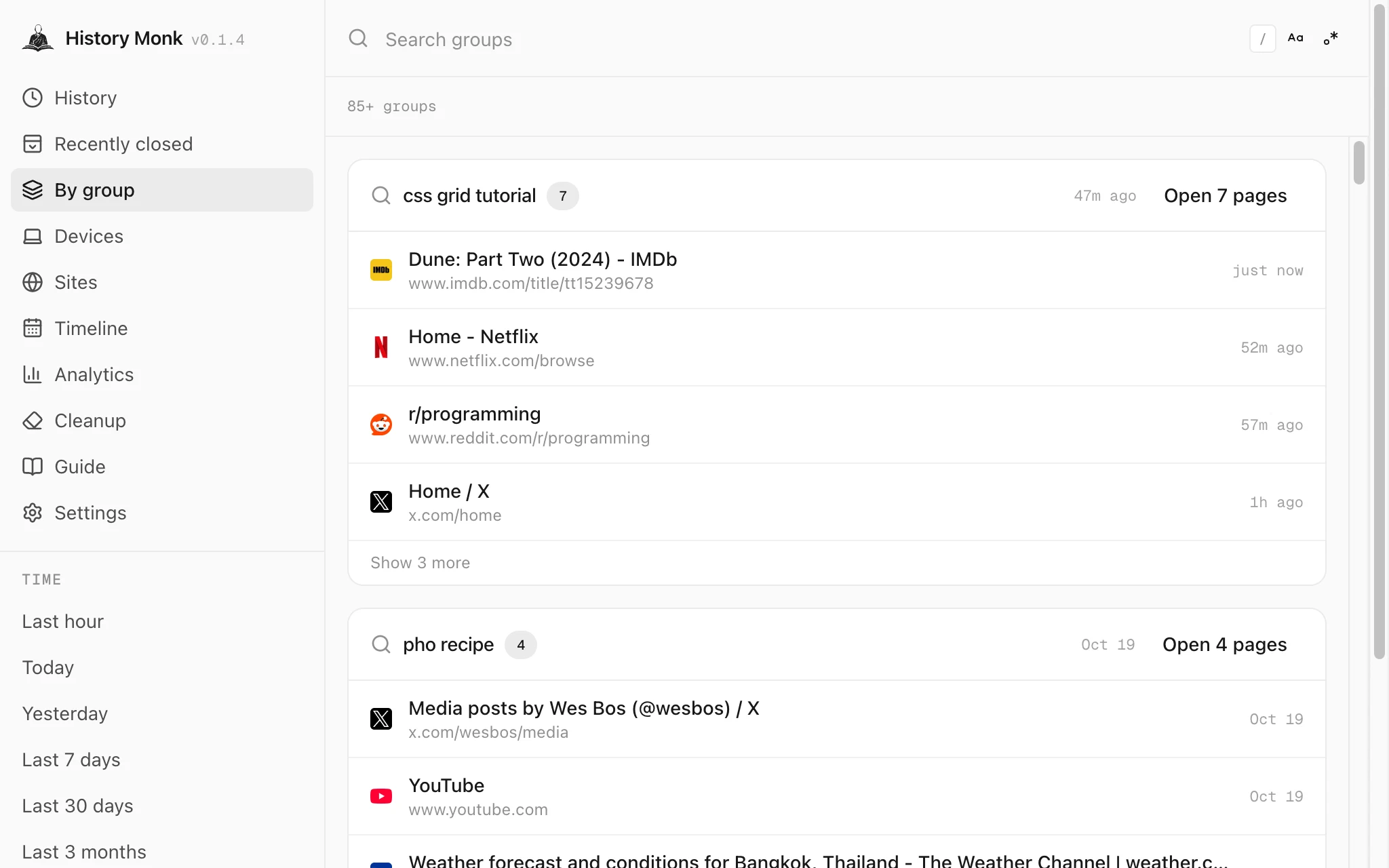
History Monk By group view with a card for the search css grid tutorial holding 7 pages and an Open 7 pages button
Each card starts with what you typed into the search engine.

Type a word in the search box. It matches the search words and the titles and addresses of the pages in each card. ramen finds best ramen in kyoto.

Step 3: Click Open

Click Open 5 pages on the card. Every page in the group opens in a background tab, and in browsers with tab groups they are gathered into a new tab group.
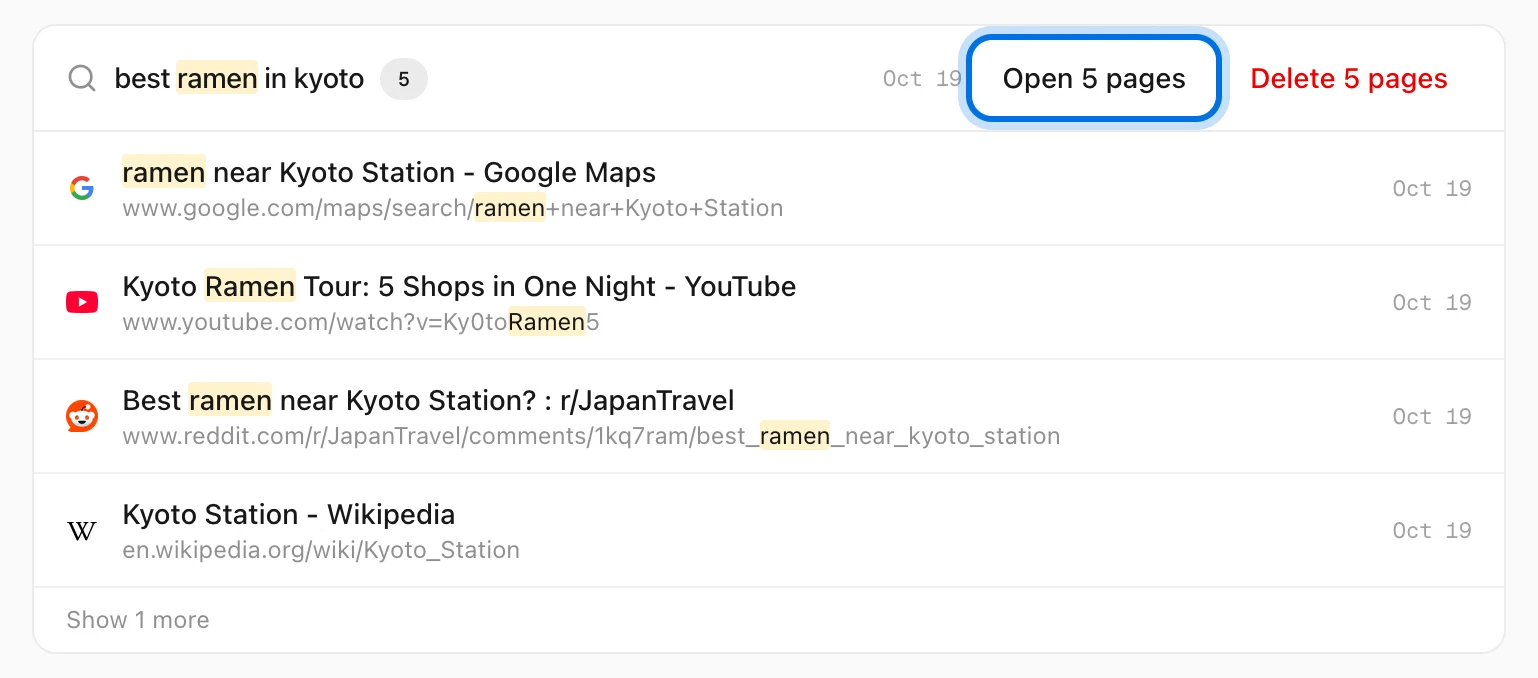
History Monk card for best ramen in kyoto with the Open 5 pages button highlighted, above ramen near Kyoto Station, a YouTube ramen tour and a Reddit thread
Open 5 pages brings the whole search back.

How pages join a group

  • Every page you open from the search results joins it.
  • Running the same search again within the hour adds to the same group.
  • Links you open in a new tab from that search, within 5 minutes, join it too.
  • A group needs at least two pages, so a search you never followed up stays out of the list.

Tips

  • Run the search again. Click the search words at the top of the card.
  • Delete it instead. Delete on the same card removes the search and its pages. See how to delete a search and the pages it led to.
  • Groups follow your time range. Pick Last 7 days or All time under Time in the sidebar.

FAQ

Questions about search groups

What is a search group?

A search you ran on a search engine such as Google, Bing, DuckDuckGo or YouTube, together with the pages you opened from its results.

Where do the tabs open?

In background tabs, so you stay in History Monk. In browsers with tab groups they are gathered into a new tab group.

Why is a search missing?

A group needs at least two pages, like the search plus one page you opened from it. Groups also only come from the range picked under Time in the sidebar.

Can I run the search again?

Yes. Click the search words at the top of the card to open the search page.

The wise search once. History Monk remembers the rest.