Before you start: add History Monk from the Chrome Web Store or Firefox Add-ons. The Chrome Web Store version also installs in Edge.
Step 1: Open Analytics
Click Analytics in the sidebar. Weekly digest is at the top right, after the jump links.

Step 2: Click Weekly digest
The card is drawn right away. It always covers today and the 6 days before it, whatever range you picked in the sidebar.
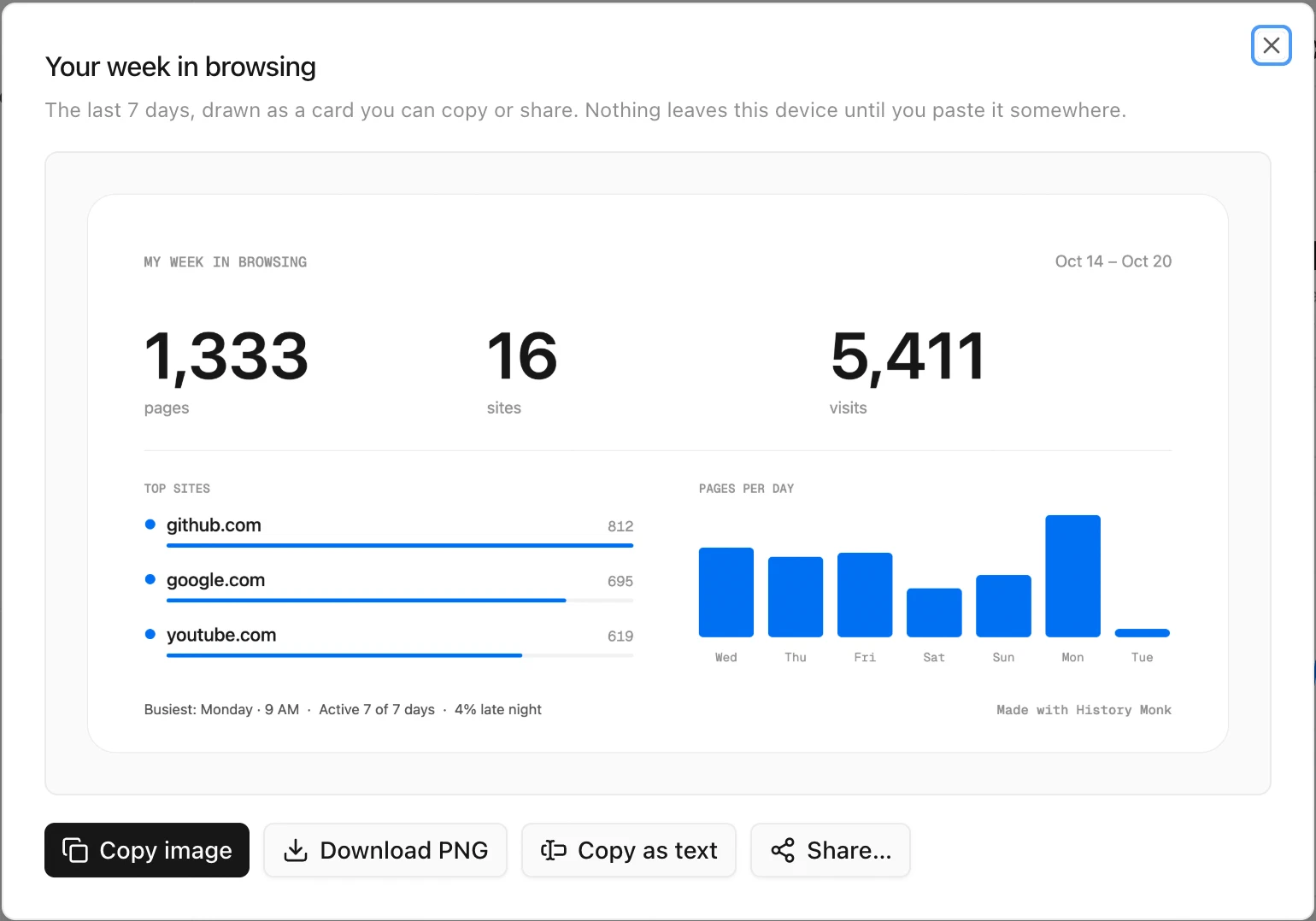
Step 3: Copy, download or share it
| Click | What you get |
|---|---|
| Copy image | The card on your clipboard, ready to paste into a chat or a post |
| Download PNG | The card saved as an image, with today’s date in the file name |
| Copy as text | Five short lines with the same numbers |
| Share… | Your system’s share sheet, where your browser supports it |
The image is 1200 by 630 pixels, drawn at double resolution so it stays sharp. It uses the colours of your theme, so a dark theme gives you a dark card.
Good to know
- Nothing leaves your computer until you paste or share the card yourself.
- Leave a site off the card by adding it to Hidden sites. See how to hide a site from your history.
- No pages this week? The dialog says so instead of drawing an empty card.